

用homebrew 安装item2
brew install --cask iterm2MesloLGM Nerd Font字体安装
brew install --cask font-meslo-lg-nerd-font导入配色方案
git clone https://github.com/mbadolato/iTerm2-Color-Schemes.git ~/Downloads/iTerm2-Color-Schemes图片示例
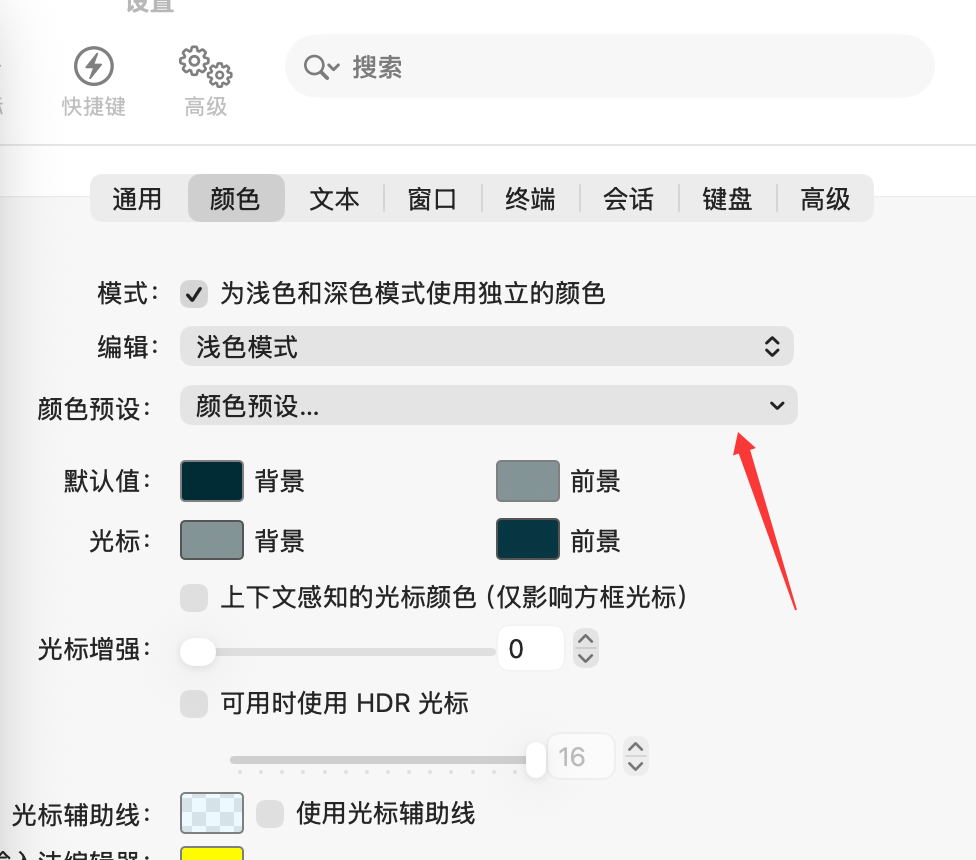
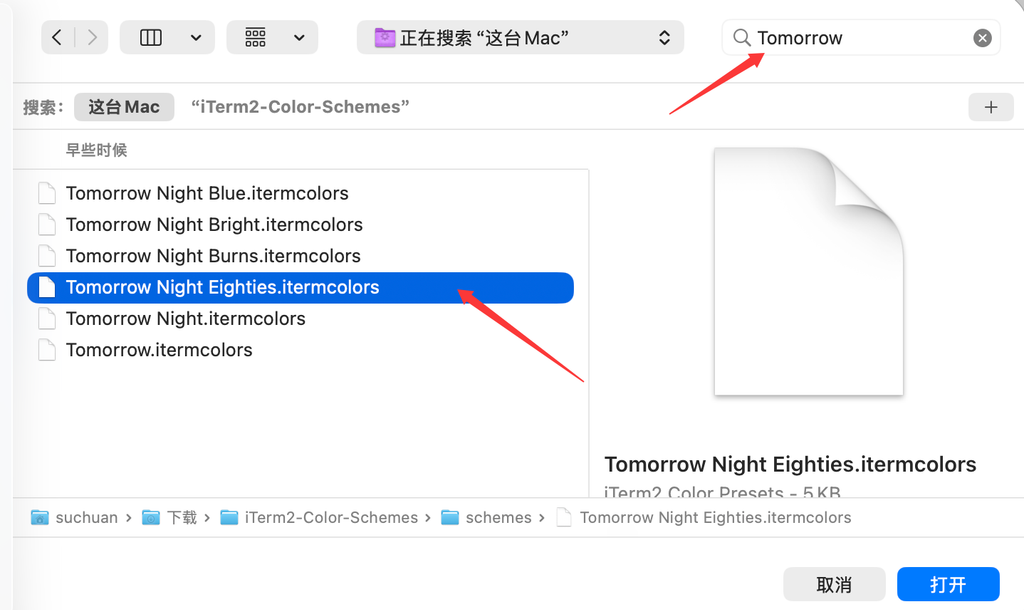
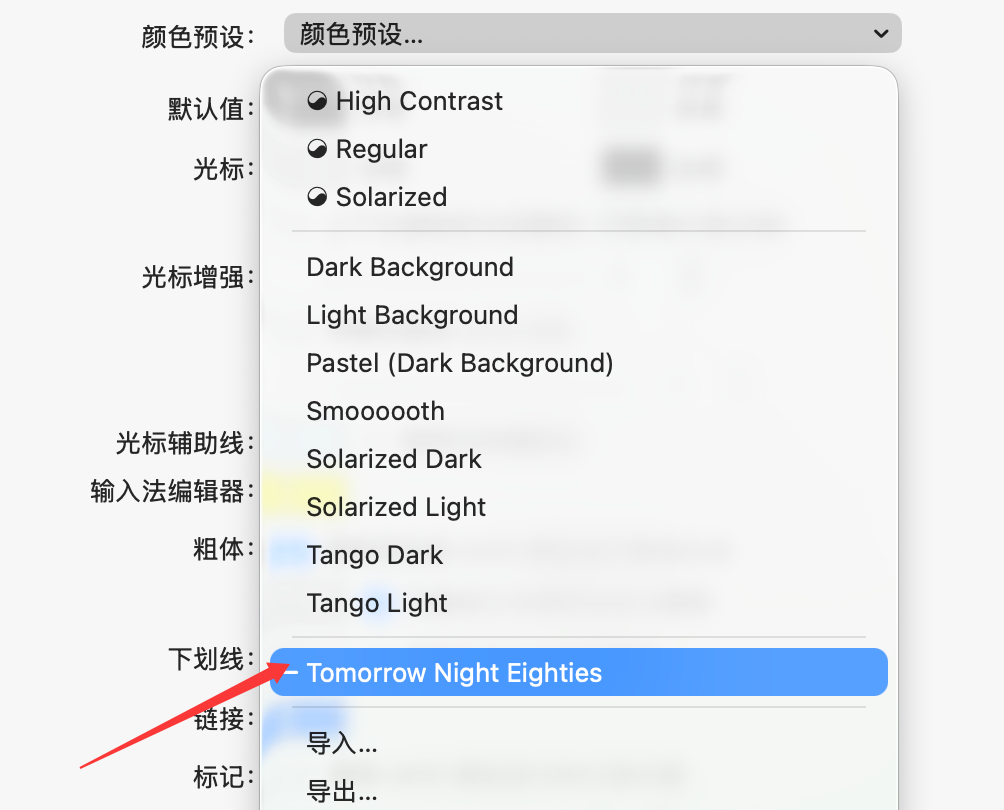
配置插件
brew install –cask font-meslo-lg-nerd-font
镜像源
/bin/zsh -c “$(curl -fsSL https://gitee.com/cunkai/HomebrewCN/raw/master/Homebrew.sh)“
选2
导入配色方案
git clone https://gitcode.net/mirrors/mbadolato/iTerm2-Color-Schemes.git ~/Downloads/iTerm2-Color-Schemes
git clone https://github.com/mbadolato/iTerm2-Color-Schemes.git ~/Downloads/iTerm2-Color-Schemes
git clone https://gitee.com//huiyadanli/iTerm2-Color-Schemes.git ~/Downloads/iTerm2-Color-Schemes

评论列表 (0条):
加载更多评论 Loading...